Sri Lanka eSIM guide: networks, coverage on the classic route and how much data you need
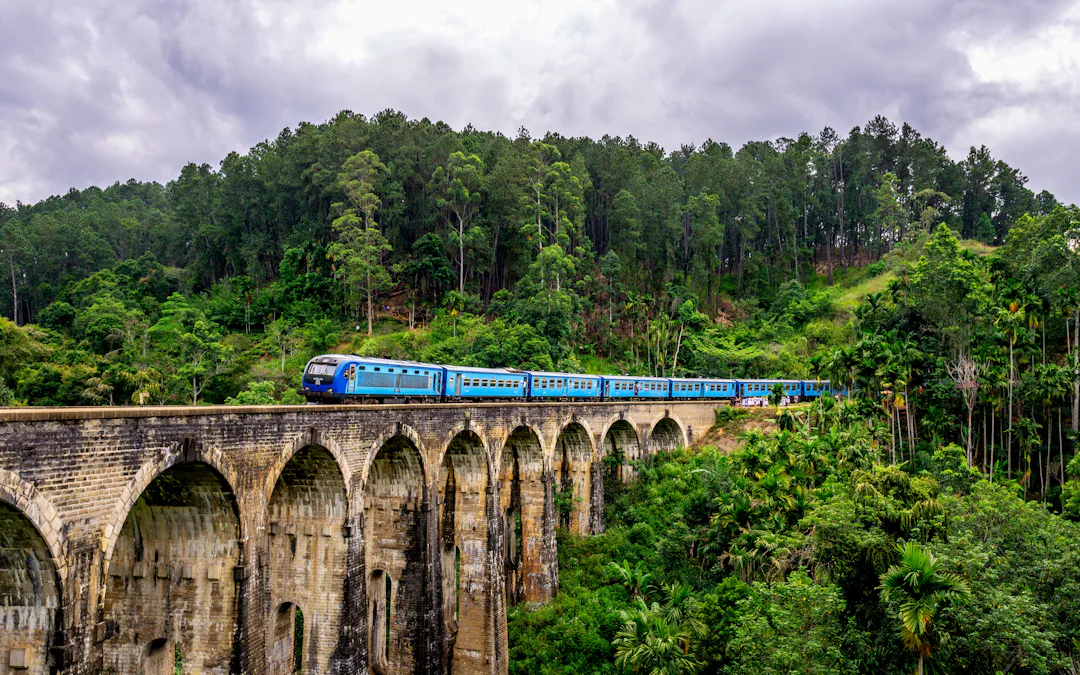
Most trips to Sri Lanka follow a loop: Colombo or Negombo, the Cultural Triangle around Sigiriya, Kandy, the train up into the tea country to Ella, a safari, then the beaches of the south coast. A Sri Lanka eSIM keeps you connected all the way round, for booking the next guesthouse, calling a tuk-tuk or sending the view from the train, without hunting for a SIM shop after a long flight.
This guide covers the networks, where coverage drops on that classic route, what Wi-Fi is really like and how much data to take. When you know what you need, the eSIM plans for Sri Lanka are on our Sri Lanka page.
Sri Lanka’s mobile networks
Sri Lanka has three mobile networks: Dialog, SLT-Mobitel and Hutch. All of them cover the towns, the coast and the main roads with 4G. Commercial 5G arrived in December 2025, when Dialog and SLT-Mobitel launched it after the national spectrum auction; as of November 2026 it is mainly found in Colombo and other larger towns. For a traveller, 4G is what you will use most of the time, and it is plenty for maps, messaging and photos.
A travel eSIM connects you through one of the local networks; which one depends on the plan.
Coverage on the classic route
Coverage is good in Colombo, Negombo, Kandy, Galle and along the south and west coast beaches, and generally fine in the towns of the Cultural Triangle. Expect gaps in a few places:
- The hill country. Around Nuwara Eliya, Haputale and Ella the signal can fade in deep valleys and on the walking trails to viewpoints such as Little Adam’s Peak and Ella Rock.
- The railway through the tea country. The line between Kandy and Ella winds through hills and tunnels, so expect stretches without signal on that famous ride.
- National parks. On safari in parks such as Yala, Udawalawe or Wilpattu, and on early climbs such as Adam’s Peak or the Horton Plains plateau, coverage can be patchy or absent.
Download offline maps of the island and keep your bookings and train tickets on your phone before heading into the hills or the parks.
The train to Ella: keep your phone inside
The ride through the tea country is one of the great train journeys, and everyone wants the photo from the open door. The UK government’s travel advice is blunt: stay inside the carriage while the train is moving, because there have been fatal accidents when visitors hung out of open doorways or windows. It also warns of theft and pickpocketing on trains. Take your photos from inside, keep a hand on your phone, and use a strap if you have one.
Can you rely on Wi-Fi in Sri Lanka?
Most hotels and guesthouses have Wi-Fi, as do many cafés in the tourist towns. Quality varies a lot, from fast fibre in Colombo to a single router struggling to reach the far rooms of a hillside guesthouse. It is fine for messages and evening uploads, less so for video calls at busy times.
The weather plays a part too. Sri Lanka has two monsoon seasons, and the UK government warns that monsoon rains can cause flooding, landslips and road closures. When that happens, local power and connections can be disrupted as well. Mobile data gives you a second way to stay in touch and check your route when the guesthouse Wi-Fi is down.
Apps that help in Sri Lanka
- Maps: Google Maps works well across the island; download offline maps for the hill country and the parks.
- Getting around: PickMe, a Sri Lankan ride-hailing app, offers tuk-tuks and cars in Colombo and other towns, with the fare shown before you book.
- Messaging: guesthouses, drivers and safari operators often arrange things over WhatsApp. It works over the eSIM’s data on your own number; see how to keep WhatsApp and your number.
- Entry: most visitors need an Electronic Travel Authorization (ETA) before they fly. Apply on the government’s official ETA website and check your own government’s travel advice for the current rules.
How much data do you need in Sri Lanka?
A typical trip uses data for maps, booking rides and rooms, messaging and photos. How much depends on your habits more than on the number of days.
- Light use: maps, ride-hailing, messaging and some browsing. This uses relatively little.
- Moderate use: the above plus social media with photos and short videos, and the odd video call. Noticeably more.
- Heavy use: streaming, uploading lots of video or sharing your connection with a laptop. By far the most: HD video can use a gigabyte or more an hour.
Choose a plan for your usual habits and check the usage counter in the app after a day or two. The app tells you when data runs low and when the plan ends soon. Where the plan allows it you can top up in the app, and the app says before you buy whether a plan can be topped up.
Choosing a Sri Lanka eSIM plan
- Sri Lanka only: a Sri Lanka plan is the simplest choice.
- Combining it with India or the Maldives: a regional plan such as Asia can cover several countries in one eSIM. Check in the app which countries it includes. Our India eSIM guide covers the mainland.
- A trip of a set length: some destinations have day passes, data for the number of days you choose. The app shows whether one is offered.
Every price in the app is the final price, VAT included, and you pay by card or Google Pay.
Setting up before you fly
Your plan’s validity starts when the eSIM first connects to a network in Sri Lanka, so installing it at home starts nothing. If you install a regional plan while you are already in a country it covers, though, it may start at once. Install it a few days before you fly, on Wi-Fi, before the install deadline: the app shows a countdown and sends reminders.
- Install the eSIM (on iPhone or on Android) and label the line, for example “Sri Lanka”.
- Keep your home SIM as the line for calls and texts, so bank codes still reach you, and check your operator’s rates abroad.
- Turn off data roaming on your home line.
- When you land in Colombo, switch mobile data to the eSIM. If the app’s instructions say so, turn on data roaming for the eSIM line.
The eSIM is for data only and doesn’t give you a Sri Lankan phone number.
Before you fly to Sri Lanka
- Check that your phone supports eSIM and isn’t locked to your operator.
- Get your ETA from the official website.
- Download offline maps, train tickets and bookings.
- Install the eSIM on Wi-Fi before its install deadline.
- Pack a power bank for long train days and safaris.
- On arrival, switch data to the eSIM and check the usage counter in the app.
Something not working? Tap “Mail us” in the app and we’ll reply by e-mail.
Frequently asked
Which mobile networks are there in Sri Lanka?
Sri Lanka has three mobile networks: Dialog, SLT-Mobitel and Hutch. All cover the towns, coast and main roads with 4G. Dialog and SLT-Mobitel launched 5G in December 2025, mainly in Colombo and larger towns.
Is there signal on the train from Kandy to Ella?
For much of the way, but not all of it. The line winds through hills and tunnels in the tea country, so expect stretches without signal. Download your tickets and offline maps before you board, and take photos from inside the carriage.
Can I rely on guesthouse Wi-Fi in Sri Lanka?
Most hotels and guesthouses have Wi-Fi, but quality varies a lot, and heavy monsoon rain can disrupt power and connections locally. Mobile data is the more dependable option when you are out and about.
Do I get a Sri Lankan phone number?
No. The eSIM is for data only. Your own number stays on your home SIM, and WhatsApp keeps working on it over the eSIM’s data.
When does my Sri Lanka plan start?
When the eSIM first connects to a network in Sri Lanka, so installing it at home starts nothing. If you install a regional plan while already in a country it covers, it may start at once.